PintoPay Card vs Moon Card
Two no KYC crypto cards compared side by side on fees, limits, ID checks, phone wallets and ratings. PintoPay Card scores higher overall (8.0 vs 6.4), but the better pick depends on what you need.
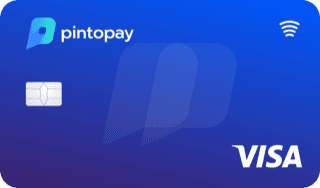
PintoPay Card
by PintoPay
8.0editor score 4.8/10
Pick PintoPay if you want a card that
- ✓rated higher by users
- ✓cheaper to keep
- ✓also comes as a physical card
- ✓works with Apple Pay
- ✓works with Google Pay

Moon Card
by Moon
6.4editor score 2.7/10
Pick Moon if you want a card that
- ✓cheaper to open
- ✓cheaper to load
- ✓has higher limits
- ✓pays more cashback
Side by side
| PintoPay | Moon | |
|---|---|---|
| Editor score | 8.0/10Better | 6.4/10 |
| User rating | 4.8/10Better | 2.7/10 |
| ID check | No KYC | No KYC |
| Card fee | $10.00 | FreeBetter |
| Monthly fee | FreeBetter | $20.00 |
| Top-up fee | 2.5% | 2%Better |
| FX fee | Not listed | 3% |
| Daily limit | $25,000 | $100,000Better |
| Cashback | None | 1%Better |
| Card type | Virtual and physicalBetter | Virtual |
| Network | Visa | Mastercard |
| Apple Pay | YesBetter | No |
| Google Pay | YesBetter | No |
| Coins | 1 | 1 |
PintoPay: pros and cons
- +No KYC, with instant virtual card issuance
- +Supports BTC, ETH, USDT, BNB and TRX across networks
- +Cards can be issued via app or Telegram bot
- +No hidden monthly fees
- −$0.25 per transaction plus up to 2.5% top-up fee
- −Top-ups can take up to 12 hours
- −Card funds cannot be withdrawn back to crypto
- −No standard cashback, only referral rewards
Moon: pros and cons
- +Lightning support allows instant, nearly free Bitcoin transfers
- +No monthly or membership charges
- +Single-use cards from just $1.49
- +Keeps personal details hidden from merchants
- −Recent reports of suspended accounts and refund trouble
- −Virtual cards only, no physical version
- −$4,000 monthly cap across all cards
- −One-time cards lapse after 2 months
Questions
Is PintoPay Card or Moon Card better?
PintoPay Card has the higher editor score (8.0/10). PintoPay rated higher by users, cheaper to keep and also comes as a physical card. Moon cheaper to open, cheaper to load and has higher limits.
Which is cheaper, PintoPay or Moon?
PintoPay charges $10.00 to open and 2.5% per top-up. Moon charges free to open and 2% per top-up. The top-up fee matters most if you load larger amounts.
Do PintoPay and Moon require KYC?
PintoPay: no ID needed. Moon: no ID needed.
Do PintoPay and Moon work with Apple Pay?
PintoPay works with Apple Pay and Moon does not work with Apple Pay.
More comparisons
Maybe vs PintoPayNocturne Aurora vs PintoPayPintoPay vs Laso Finance InternationalPintoPay vs 0fiat CryptoPintoPay vs Azura AdsPintoPay vs Foton CardPintoPay vs PayWide Business ProgramPintoPay vs WaldenPay PremiumPintoPay vs Xkard EssentialPintoPay vs WooCardMaybe vs MoonNocturne Aurora vs MoonLaso Finance International vs Moon0fiat Crypto vs MoonAzura Ads vs MoonFoton Card vs Moon