PintoPay Card vs Azura Ads Card
Two no KYC crypto cards compared side by side on fees, limits, ID checks, phone wallets and ratings. PintoPay Card scores higher overall (8.0 vs 7.1), but the better pick depends on what you need.
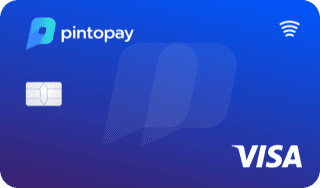
by PintoPay
Pick PintoPay if you want a card that
- ✓cheaper to load
- ✓also comes as a physical card
- ✓works with Apple Pay
- ✓works with Google Pay
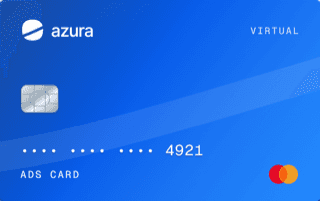
by Azura
Pick Azura Ads if you want a card that
- ✓cheaper to open
- ✓supports more coins
Side by side
| PintoPay | Azura Ads | |
|---|---|---|
| Editor score | 8.0/10Better | 7.1/10 |
| User rating | 4.8/10 | Not rated |
| ID check | No KYC | No KYC |
| Card fee | $10.00 | $5.00Better |
| Monthly fee | Free | Free |
| Top-up fee | 2.5%Better | 4% |
| FX fee | Not listed | Free |
| Daily limit | $25,000 | No stated limit |
| Cashback | None | None |
| Card type | Virtual and physicalBetter | Virtual |
| Network | Visa | Not listed |
| Apple Pay | YesBetter | No |
| Google Pay | YesBetter | No |
| Coins | 1 | 6Better |
PintoPay: pros and cons
- +No KYC, with instant virtual card issuance
- +Supports BTC, ETH, USDT, BNB and TRX across networks
- +Cards can be issued via app or Telegram bot
- +No hidden monthly fees
- −$0.25 per transaction plus up to 2.5% top-up fee
- −Top-ups can take up to 12 hours
- −Card funds cannot be withdrawn back to crypto
- −No standard cashback, only referral rewards
Azura Ads: pros and cons
- +No standard ID document verification
- +$0 monthly subscription and 0% Azura FX markup
- +$5 issuance price during launch, down from $10
- +Up to 5 active cards for separate ad accounts
- −4% loading fee, plus 0.6% crypto deposit fee and network charges
- −2% merchant refund fee, 1% voluntary return fee and $0.25 decline fee
- −Custodial balances, with no regular cash-out or ATM access
- −$29 monthly spend required, and cards retire after 3 inactive months
Questions
Is PintoPay Card or Azura Ads Card better?
PintoPay Card has the higher editor score (8.0/10). PintoPay cheaper to load, also comes as a physical card and works with Apple Pay. Azura Ads cheaper to open and supports more coins.
Which is cheaper, PintoPay or Azura Ads?
PintoPay charges $10.00 to open and 2.5% per top-up. Azura Ads charges $5.00 to open and 4% per top-up. The top-up fee matters most if you load larger amounts.
Do PintoPay and Azura Ads require KYC?
PintoPay: no ID needed. Azura Ads: no ID needed.
Do PintoPay and Azura Ads work with Apple Pay?
PintoPay works with Apple Pay and Azura Ads does not work with Apple Pay.